


How to write to Amazon customer support
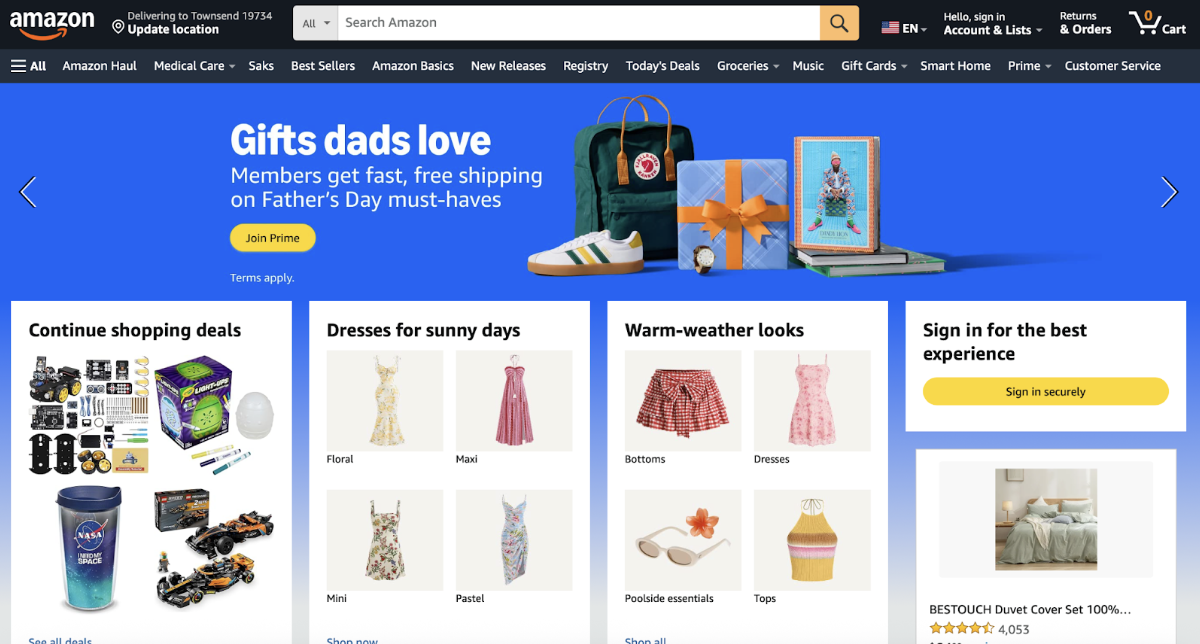
- Open the website amazon.com in your browser and log into your account.
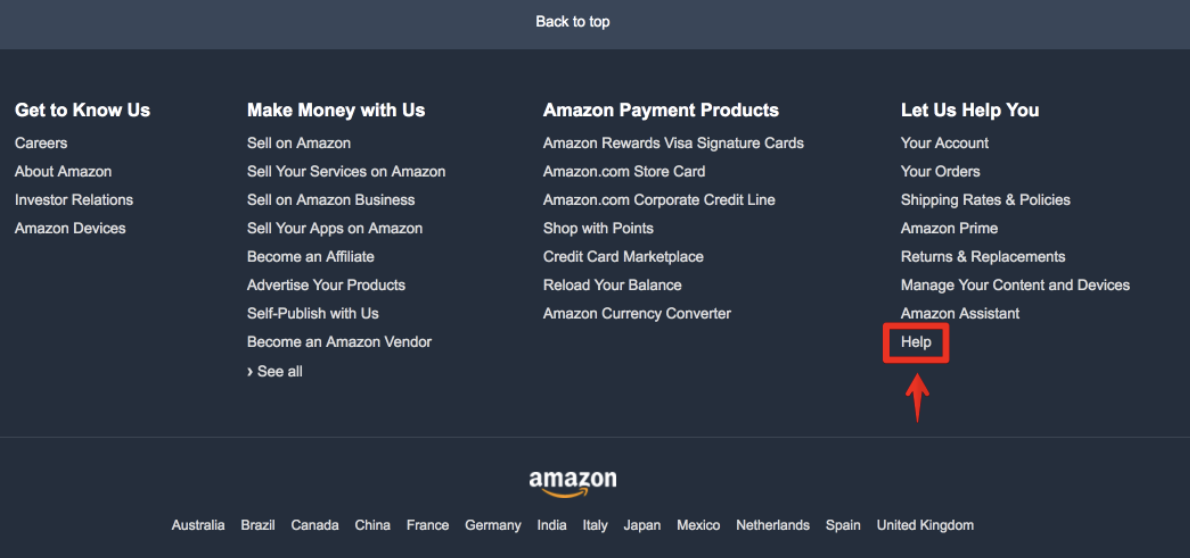
- Scroll down the page and select «Help».
- Go to the “Something else” section, then click “I need more help” — a “Chat with us” or “Request a phone call” button will appear.
- In the new window after the automatic redirect, your order history will open, where you should select the one regarding which you are contacting Amazon customer support.
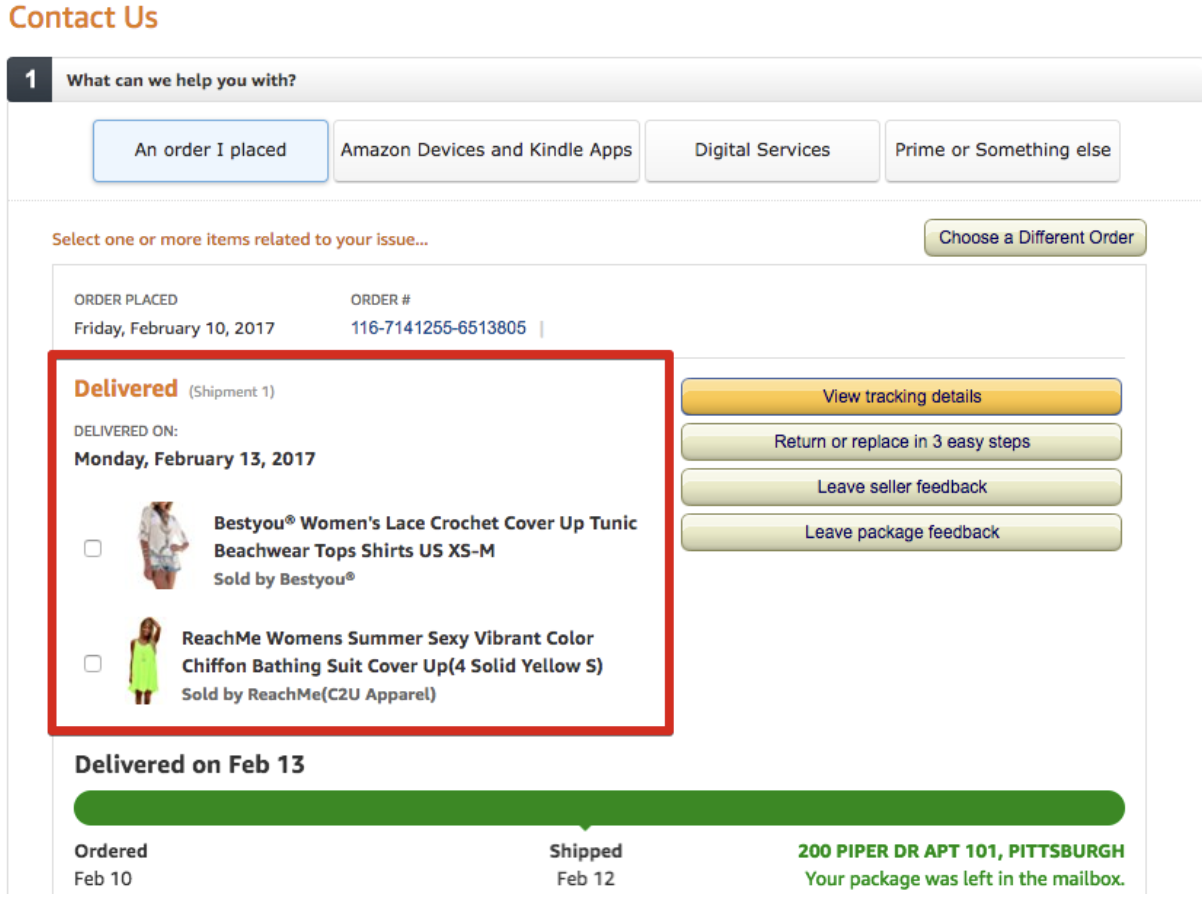
Horizontally, 4 submenu tabs are available for selection, through which the primary topic of the upcoming discussion with representatives is chosen:
An order I placed - orders that were placed;
Amazon Devices and Kindle Apps - hardware and software from Amazon (Kindle e-readers or Fire tablets);
Digital Services - questions about digital products from Amazon;
Prime or Something else - Prime account or other questions.
The most common reason for contacting Amazon customer support is questions regarding placed orders, which is why we will continue the instructions with this part:
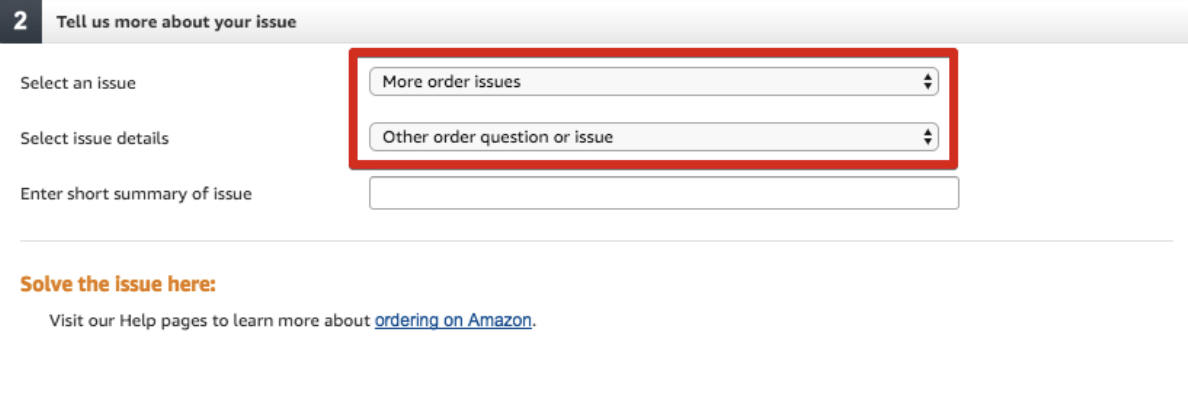
- After checking the box for the desired item, proceed to selecting the reason for contacting support - «Select an issue». Under this option, the corresponding item is selected, but if there is no suitable option in the list, you can choose «More order issue»
In the «Select issue details» subsection, specify clarifying information on the subject of the inquiry; if there is no suitable option, select «Other orders question or issue», after which in the third box you must manually enter the topic regarding which the conversation with the representative will take place.
- You can get in touch via:
– Live chat (almost always available);
– Request a callback (if available in your region);
– Email — in most cases not offered.
- After selecting a contact method for Amazon support representatives (using chat as an example), a form will appear where you must enter details about your issue or question, and only after that do you need to click «Start chat».
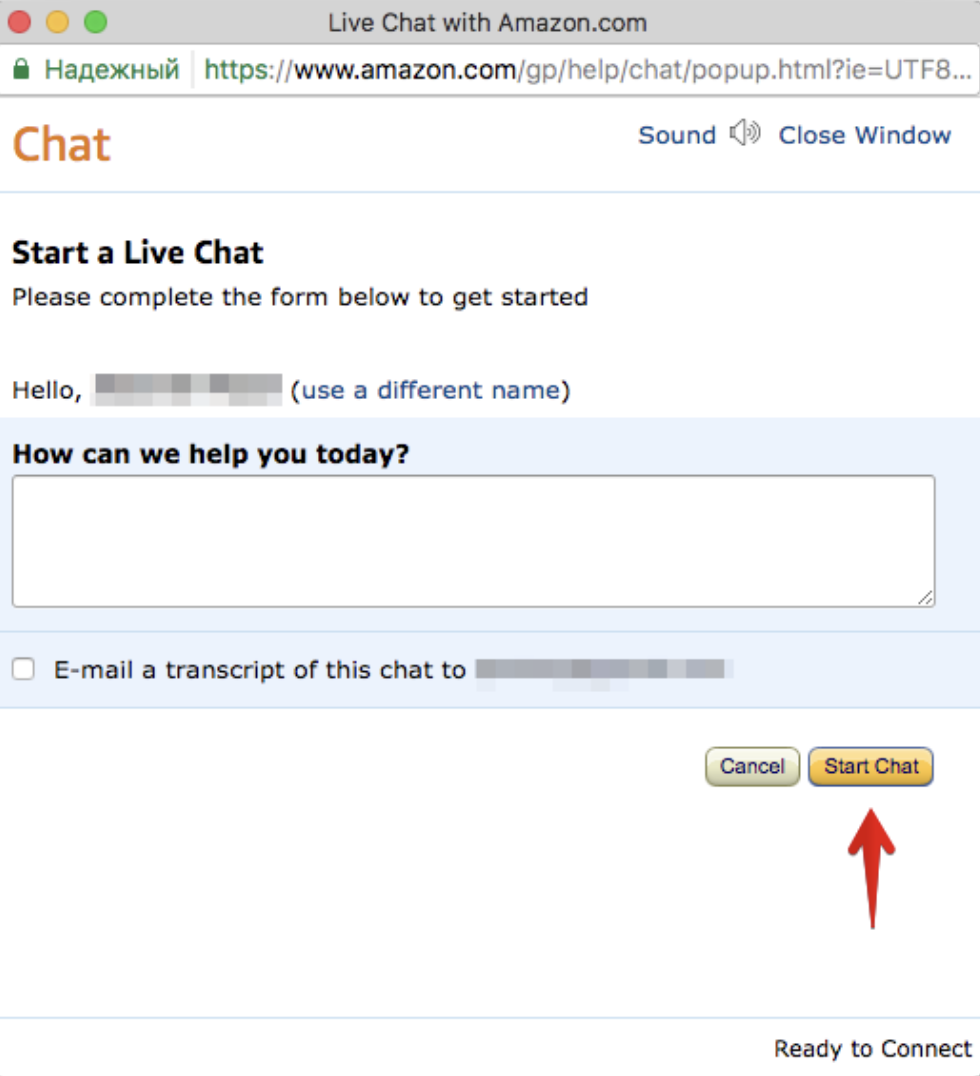
Currently, a separate tab with a bot is used, and only then is the transfer to an agent made.
How to write a message to a third-party seller on Amazon
Given the huge presence of third-party sellers on Amazon, the need to communicate with them still arises sometimes - either to clarify details regarding an item, or about delivery times, shipping methods, etc. Let's look at an example of writing a message to one of the sellers on Amazon.
- Exactly who the seller of a particular item is is indicated right on its description page.
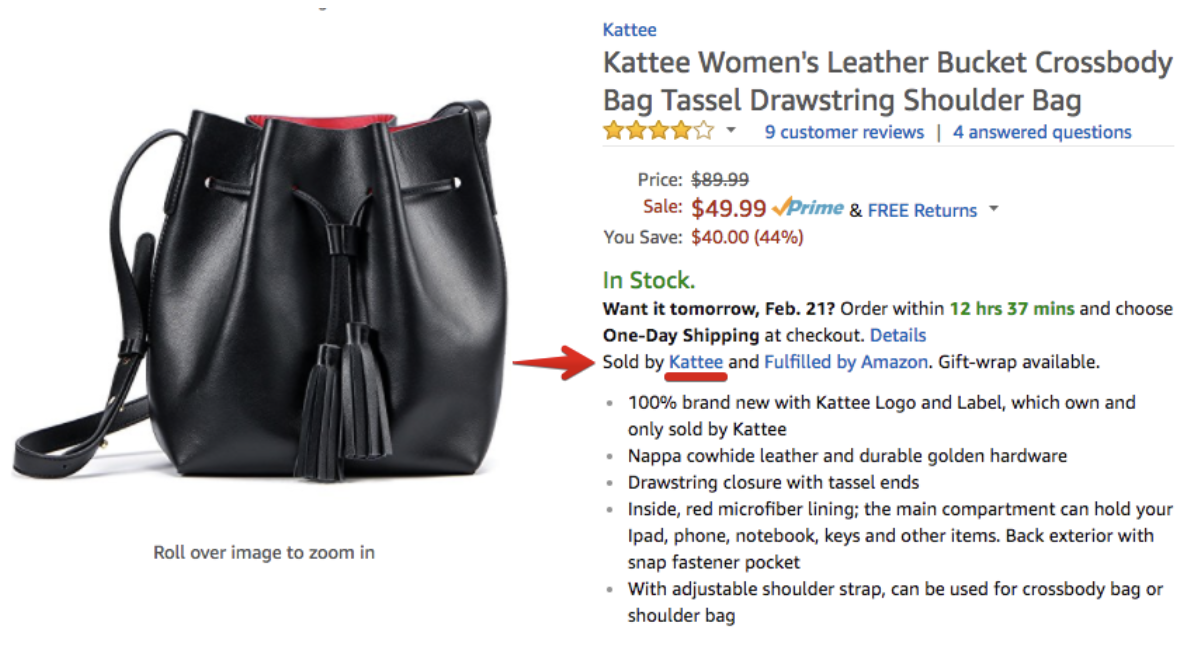
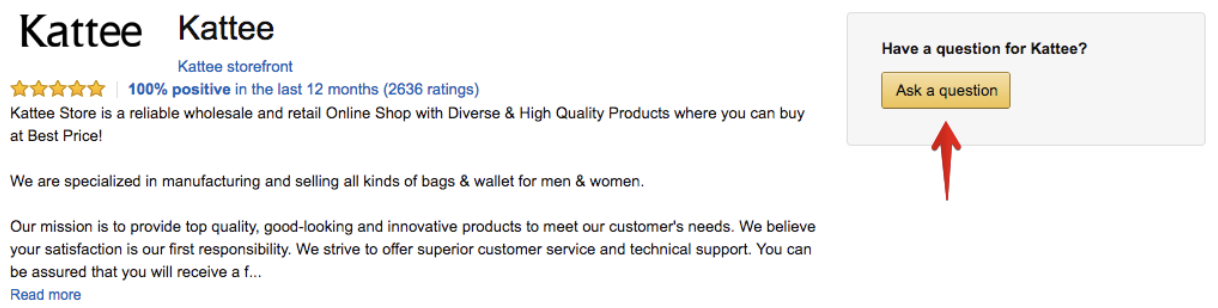
- Clicking with the mouse cursor on the seller's username opens a new page that leads to their profile page with details, reviews, rating, and other information. On the right is the «Ask а question» or «Contact seller» button - this is how a message to the seller is created.
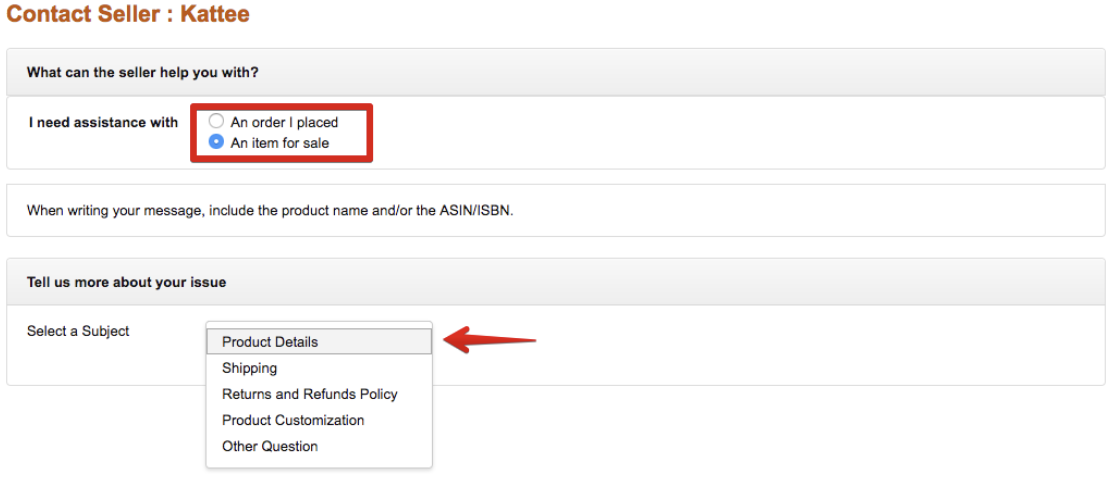
- The principle of writing a message is similar to contacting Amazon customer support - you need to select the subject of the question (about an already purchased item, or about an item intended for purchase), in the second step you need to specify the topic of the inquiry - if the corresponding section is not provided for selection, you should choose the last item - «Other Question». After selecting the options - proceed to writing the message itself by clicking the «Write message» button.
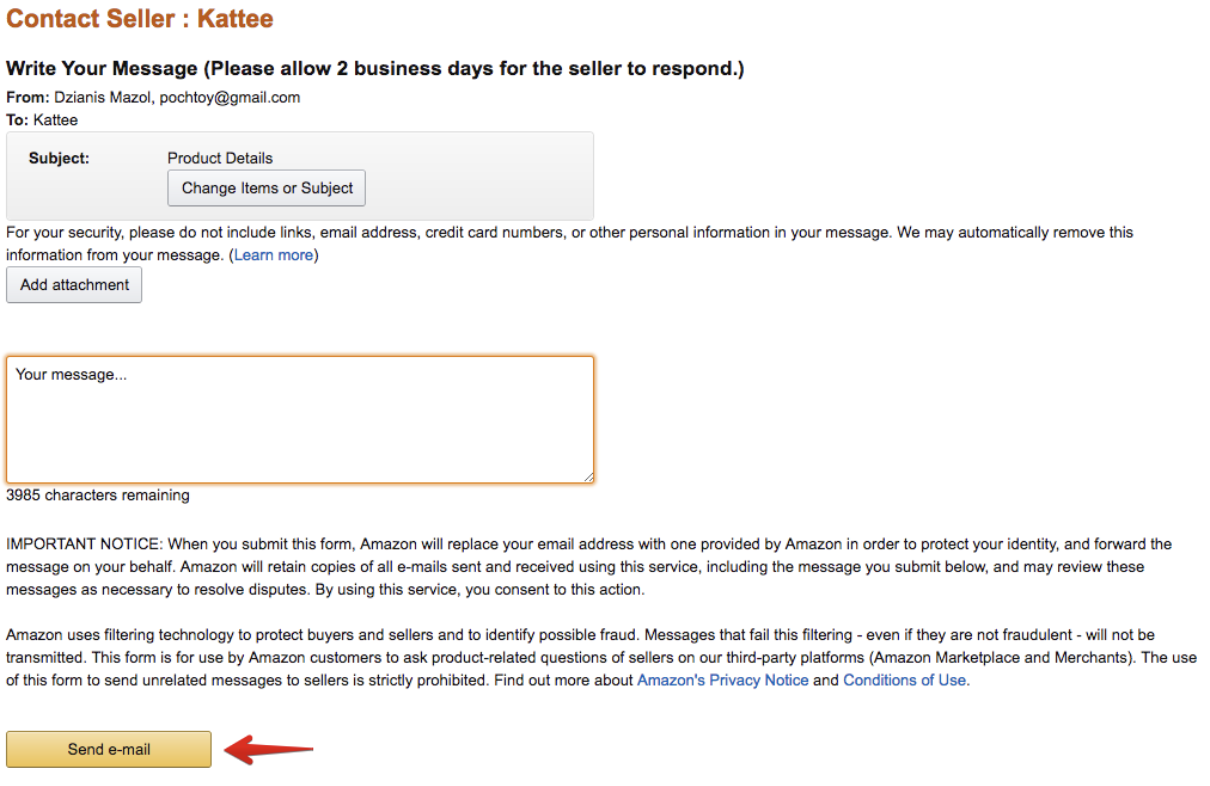
- In the window that opens, ask your question and send the message to the seller. You should expect a response from them via email; going forward, you can continue the correspondence with the seller directly from your personal inbox. There are no strict timeframes regarding receiving a response, so in some cases, you should be patient.
As a useful bookmark, we recommend adding to your favorites a small collection of the most frequently used English phrases when communicating with sellers - Writing letters to US online stores.


