Cryptocurrency as a payment method. Instructions
Paying with cryptocurrency is becoming increasingly popular in the world of online commerce. Cryptocurrencies, such as Bitcoin and many others, offer anonymity and security when carrying out transactions. However, it is necessary to understand how to use cryptocurrency before using it as a payment method.
In this article, we will explain how to register on Coinbase, how to verify your account, how to add funds to your Coinbase account, and we will also provide a guide to topping up your balance in your Pochtoy.com service personal account with cryptocurrency, as well as some security tips.
16.05.2025
41937 views

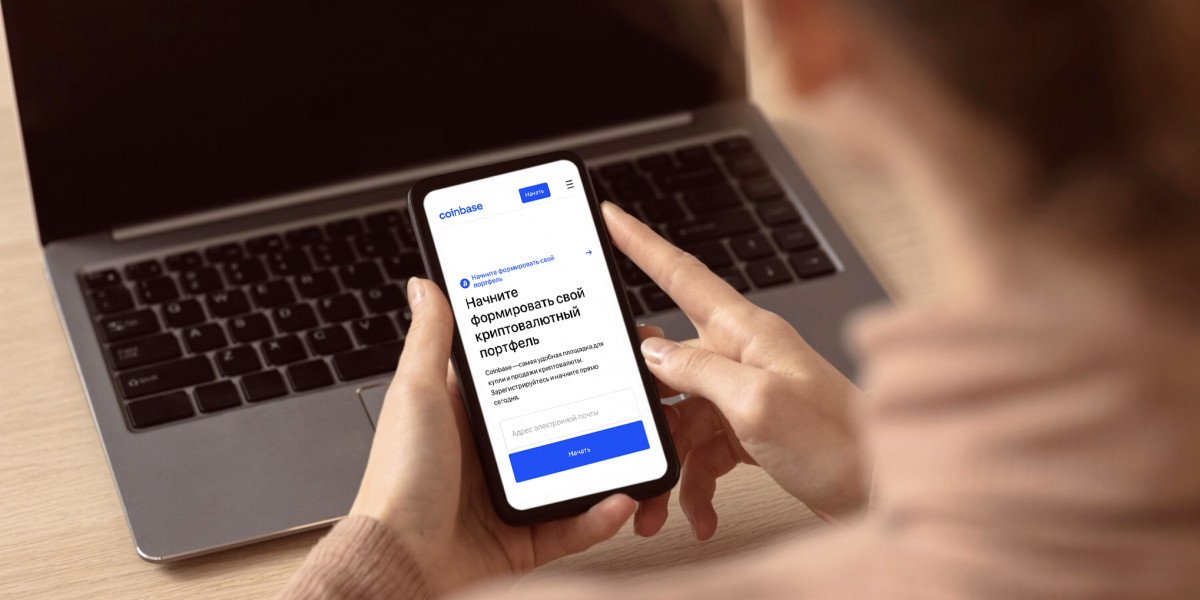
Registration on Coinbase
The first step in using cryptocurrency as a way to top up your personal account balance is registering on Coinbase.
Coinbase is one of the most popular American cryptocurrency exchange services, which provides cryptocurrency exchange, storage, and purchase services.
Coinbase is an international platform, but there are regions where customers currently do not have the ability to use cryptocurrency buying/selling. These countries include Russia and Belarus. You can register, but you will not be able to complete verification afterward, without which buy and sell operations will be unavailable. The account will be blocked.
The list of countries where trading operations are not prohibited is available at the following link: https://www.coinbase.com/ru/places. You can use the Coinbase cryptocurrency wallet from all of the listed countries.
So, to register on Coinbase, you need to go to the Coinbase website and create an account. During registration, you will need to enter your name, email address, and password. After you fill in the required information, Coinbase will send you an email confirming your registration.

Account verification on Coinbase
After registering on Coinbase, you need to verify your account. To do this, you need to provide additional information about yourself, such as a phone number and an identity document. You will also need to answer a number of simple questions about your plans for using the service. This is necessary to ensure the security of your funds and prevent fraud.
To complete verification of your Coinbase account, go to the “Settings” page and select the “Account verification” section. Follow the on-screen instructions to provide the required information.

Funding your Coinbase account
After verifying your Coinbase account, you can start funding it. To do this, you need to select the “Fund account” option on the “Home” page.
You can fund your Coinbase account using a bank card or bank transfer.
Options for funding your Coinbase account using a Visa or Mastercard bank card
Coinbase accepts Visa and Mastercard cards (issued outside the Russian Federation) for account funding. To use this option, you need to select the “Fund account” option on the “Home” page and choose the “Visa or Mastercard card” option.
Using PayPal
If you have a PayPal account, you can use it to fund your Coinbase account. To do this, you need to select the “Fund account” option on the “Home” page and choose the “PayPal” option.
Using a bank transfer
You can use a bank transfer to fund your Coinbase account. To do this, you need to select the “Fund account” option on the “Home” page and choose the “Bank transfer” option.
Detailed guide to funding your Coinbase account using a foreign bank card
Step 1: Log in to your Coinbase account and select the “Fund account” option on the “Home” page.
Step 2: Select the “Visa or Mastercard card” option.
Step 3: Enter the amount you want to fund and click the “Continue” button.
Step 4: Enter your bank card details and click the “Continue” button.
Step 5: Confirm your payment by following the on-screen instructions.

Payment with cryptocurrency
After you top up your Coinbase account, you can use cryptocurrency to add funds to your balance in your personal account on the Pochtoy.com service. To do this, you need to go to the Personal Account page and open the Top Up Balance section. Then select the balance top-up method “Coinbase (top up with cryptocurrency)”; after that, the system will redirect you to your Coinbase wallet. Select the cryptocurrency you want to use for payment and enter the amount. Coinbase will automatically convert the amount into the equivalent in your national currency. After that, you need to enter the recipient's address and confirm the payment.
Important top up your balance within an hour after clicking the "Top Up" button. Otherwise, it will be impossible to track and confirm the funds top-up.
Each new top-up must be made through “new top-up” on the website.
You can also pay for orders and shipping on our website using a direct transfer to a crypto wallet. We accept Ethereum, Tron, and other cryptocurrencies.
How it works:
- Go to the balance top-up page
- Select "Direct transfer to a crypto wallet"
- Choose the cryptocurrency that is convenient for you, click the button, and create an individual payment key
- Pay the required amount using this key, and the funds will be automatically credited to your balance. No additional steps are required.
The top-up fee is 5% of the balance top-up amount.
If you still have any questions, please contact the service support team, and we will be happy to answer you!
Safety tips for paying with cryptocurrency
Use strong passwords and two-factor authentication.
Never share your personal data or information about your accounts.
Check the recipient's address before sending cryptocurrency.
Common mistakes when paying with cryptocurrency
Sending cryptocurrency to the wrong address.
Using unreliable exchange services.
Improper storage of cryptocurrency.
Not knowing the current exchange rates.
Conclusion
Paying with cryptocurrency is a simple and secure way to conduct online transactions. Registering on Coinbase and using cryptocurrency for payment can be a little complicated for beginners, but it is quite a beneficial way to pay. Remember that security is a key aspect when working with cryptocurrency, so follow the safety tips and avoid common mistakes.